
Your Voting Assistant
Get instant answers about voter registration, polling places, ballot information, and your voting rights. Available on the web, Discord, and Twitch.
Chat with VOTE-EWhat VOTE-E Can Do
Everything you need to be an informed voter, powered by AI and backed by real data.
Voter Registration
Check your registration status and get step-by-step help registering to vote in your state.
Full Ballot Lookup
See every race, candidate, and measure on your ballot based on your specific address.
Candidate Research
Dig into candidate bios, policy positions, voting records, endorsements, and campaign finances.
Find Your Reps
Discover who represents you at the federal, state, and local level.
Polling Places
Find your nearest polling location with directions, hours, and early voting options.
State Voting Rules
Get your state's voter ID requirements, registration deadlines, and early voting dates.
Election Alerts
Stay informed about upcoming elections, deadlines, and important dates in your area.
Voting Q&A
Ask any question about voting rights, absentee ballots, mail-in voting, and more.








How It Works
Getting started with VOTE-E takes seconds. No account required.
Start a Conversation
Click "Chat with VOTE-E" or use the embed on any partner site. No sign-up needed.
Ask Your Question
Type naturally. Ask about registration, your ballot, polling locations, or voting deadlines.
Get Real Answers
VOTE-E uses verified data sources to give you accurate, state-specific information instantly.
Add VOTE-E to Your Discord Server
Bring voter info directly to your community. Set up takes under a minute.
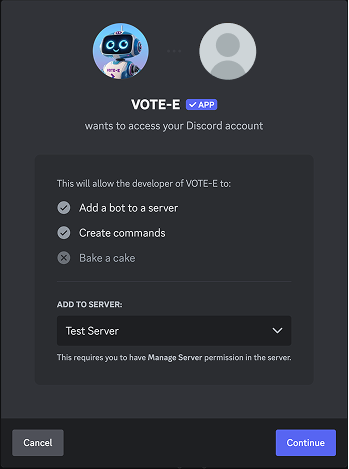
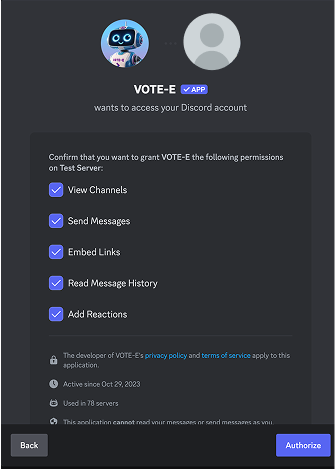
Invite the Bot
Click the button below and select your server. You need admin privileges to add bots.
Set Up Announcements
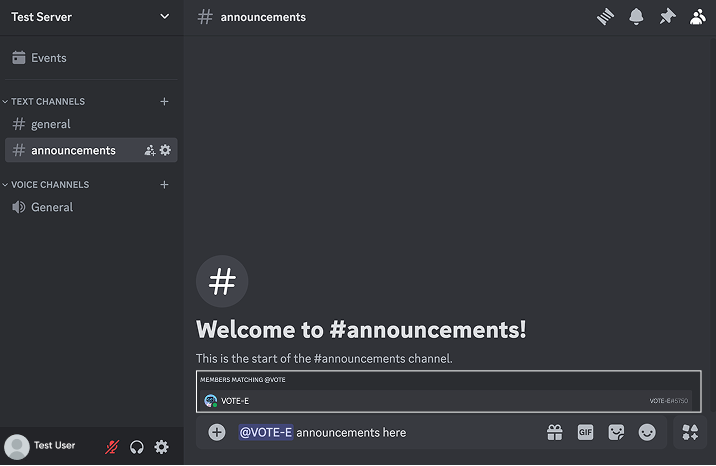
In your chosen channel, type @VOTE-E announcements here to designate it for election updates. A dedicated or low-traffic channel like #announcements works best.
Start Chatting
Your members can interact with VOTE-E three ways:
- React with any emoji to an announcement message and VOTE-E will DM them
- Send VOTE-E a direct message
- Mention @VOTE-E in any channel to start a conversation
Emoji reaction 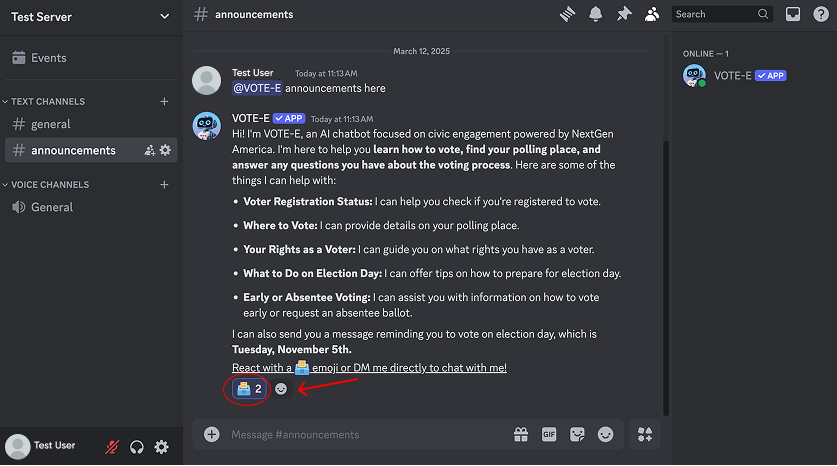
Direct message 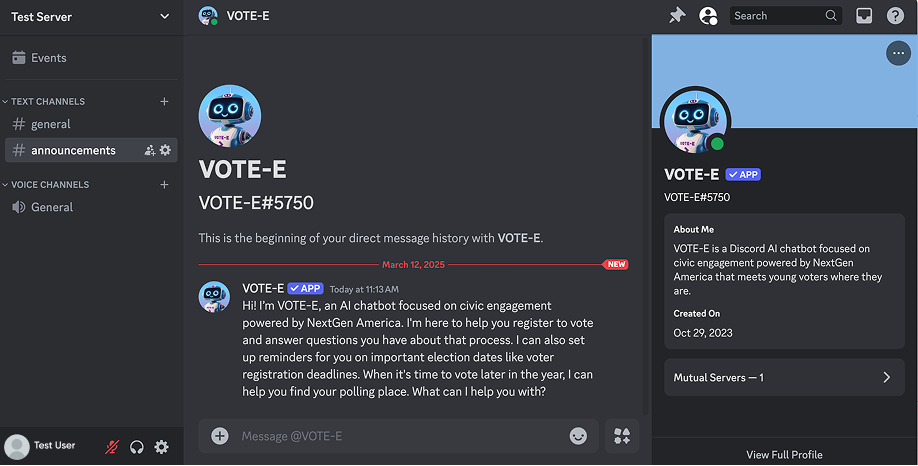
Channel mention
Add VOTE-E to Your Site
Embed VOTE-E on your website in minutes. Choose the option that fits your needs.